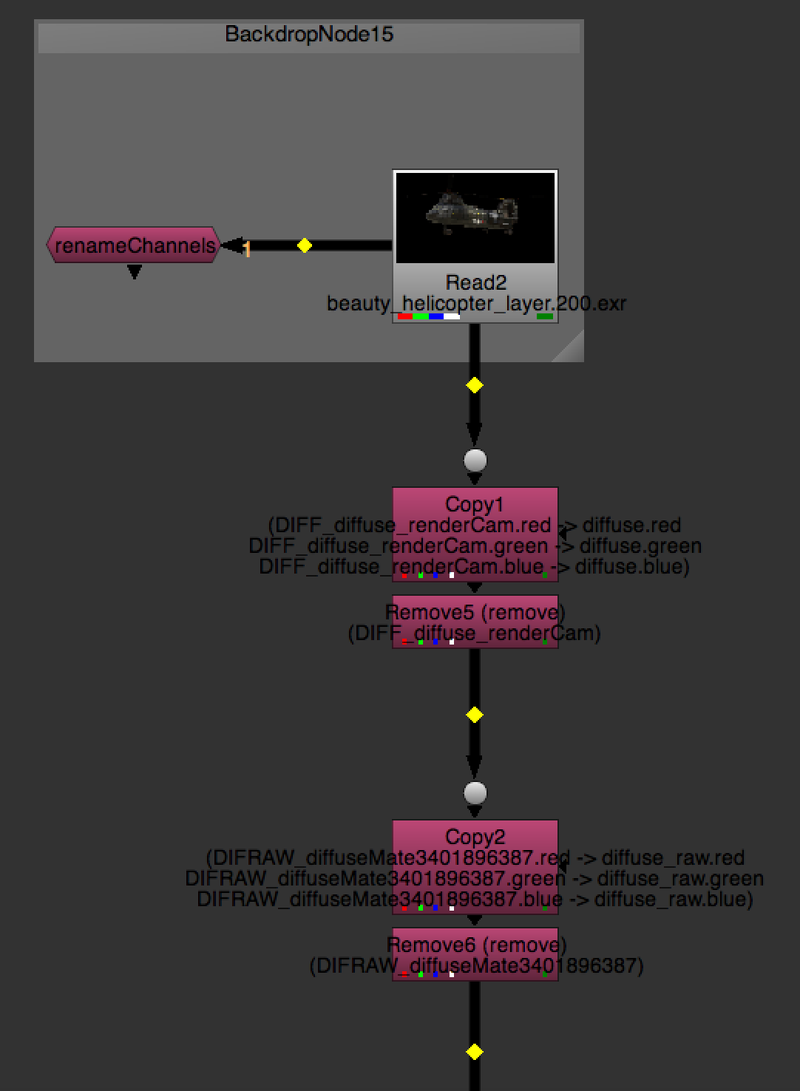
RenameChannels AG
Author: Andrea Geremia - http://www.andreageremia.it/tutorial.html
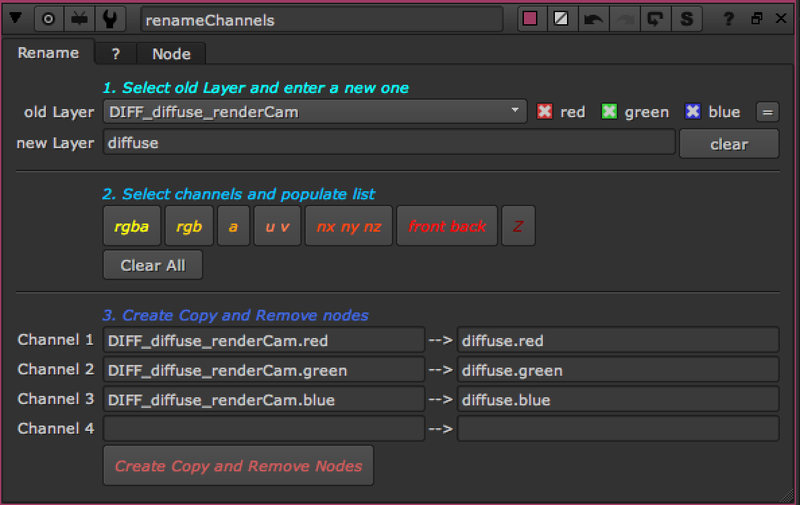
With this Gizmo you can rename Channels and Layers through Copy and Remove Nodes. In this way you have more control with the possibility to cancel the operation.
Instructions:
- Connect renameChannels node to your script.
- Select the oldLayer and insert the name of the newLayer. Basically you want to rename the old name with the new one.
- Select the Channels you want to create. They depend from the oldLayer
- Click on button "Create Copy and Remove Nodes"
- Connect the nodes created to your script.