LightSwitch
Author: Tony Lyons - https://www.CompositingMentor.com
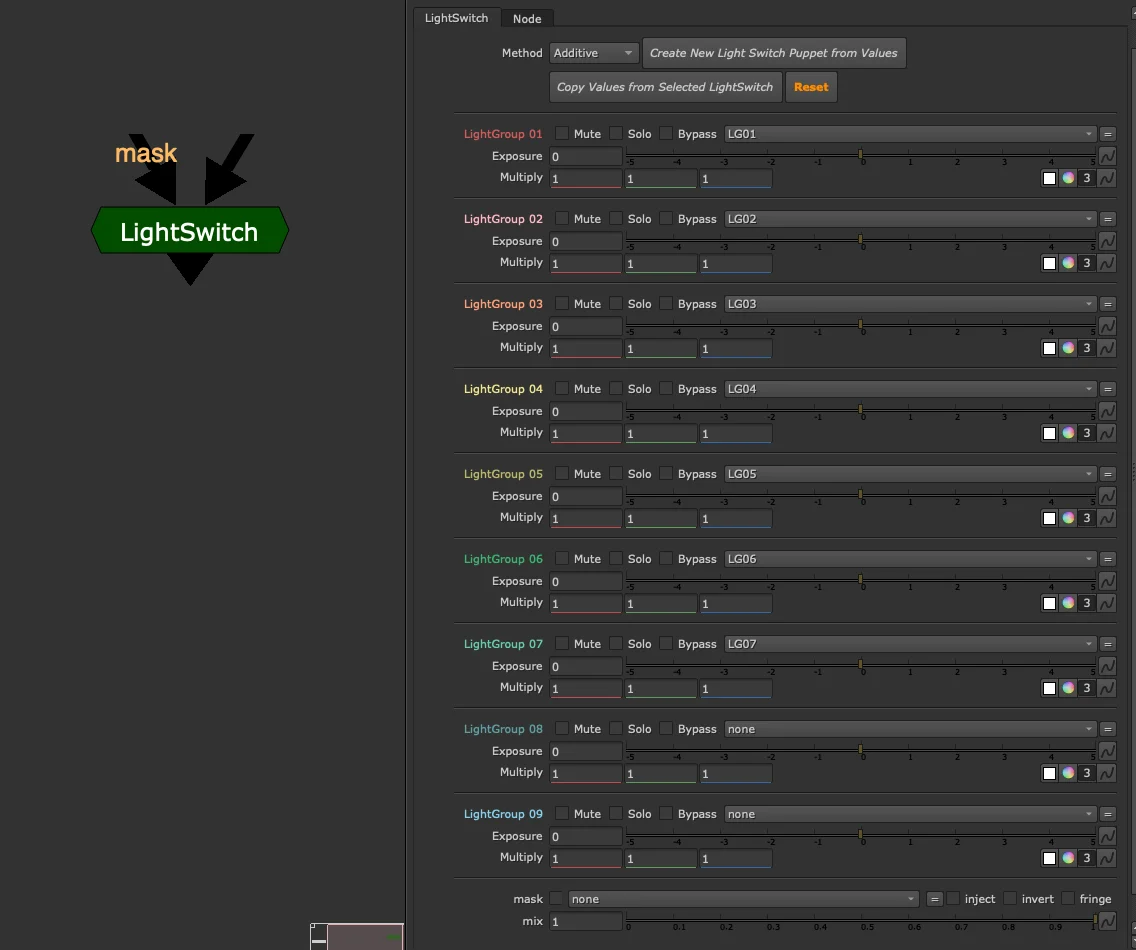
A CG AOV tool primarily for lighters, used to quickly adjust light groups in a slapcomp. All corrections live inside the group node — implicit, contained, and fast to work with.
For an explicit version designed for larger CG compositing templates, see LightSwitch Puppet.
Setup
Start by assigning the appropriate layers to each light group. Light group names are unique to your render software and pipeline — the tool defaults to LG01, LG02, etc., but select whichever layers you need. This setup can be done once and saved into a lighting slapcomp template.
Controls Per Light Group

Each light group has two colour correction controls:
- Exposure — adjust brightness
- Multiply — adjust colour
These map directly to lighting parameters and can be round-tripped back to the lighting application for iteration.
Each light group also has three toggles:
- Mute — disable this light group
- Solo — disable all other light groups, show only this one
- Bypass — ignore the Exposure and Multiply corrections; use to toggle changes on/off
Enabling Solo on multiple light groups simultaneously adds them together — useful for isolating a particular light or troubleshooting light contributions.
Global Controls
- Method — how light groups are combined (additive or subtractive)
- Mix — overall blend of the corrections
- Mask — limit corrections to a masked region
LightSwitch vs LightSwitch Puppet
| LightSwitch | LightSwitch Puppet | |
|---|---|---|
| Corrections | Inside the group (implicit) | Linked grades, placed explicitly in the comp |
| Best for | Lighters, slapcomps | Compositors, CG templates |
| Node count | Fewer | More, but fully visible and customisable |
Bridging the Two Workflows
Two buttons at the top of the node allow lighters and compositors to share work across both tools.
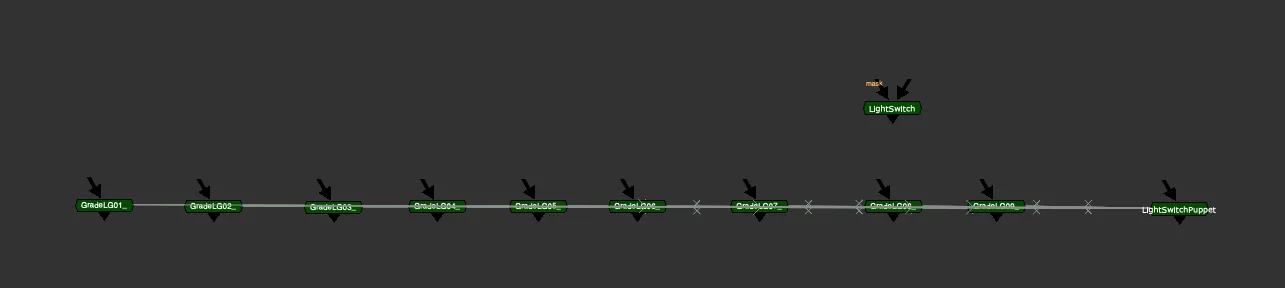
Create New LightSwitch Puppet from Values
Copies the current LightSwitch settings and generates a LightSwitch Puppet setup with the same values. Use this to transition from a quick lighting slapcomp into a full CG compositing template without re-entering your adjustments.
Copy Values from Selected LightSwitch
Select another LightSwitch (or LightSwitch Puppet) node first — from another script, template, or slapcomp — then click this to transfer its settings onto the current node. Supports both directions:
- Another LightSwitch → This LightSwitch
- LightSwitch Puppet → This LightSwitch